
PC Tech for Hire
  • Home
  • Services
    • ProActive Care >
      • Antivirus
      • Backup
    • Web Hosting >
      • Showcase
    • Virus/Spyware Removal
    • PC Refresh
    • PC Reimage
    • Data Recovery
    • Recycling
    • Training
  • Blog
  • Recommendations
  • Remote Support

Ready for Windows 10?

9/5/2015

0 Comments


Welcome to PC Tech for Hire, Montgomery Alabama's trusted residential and small business computer repair and service provider.
Picture
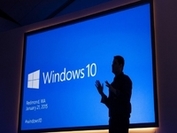
Many of you may be aware that Microsoft has released the latest version of their operating system this summer, July 29th to be exact.  There are some great new features in the tech giant's offering.  However, you may want to wait, or at least be very careful, before you make the jump to Windows 10. Below are some things that you need to be aware of before you make the move.  

What's Great About Windows 10?
I have been running a preview of Windows 10 for several months now and I can say that, overall, I really like it.  While no computer program or operating system is perfect, Microsoft is getting a lot of things right with Windows 10.  Here are some highlights:
  • The return of the Start menu (well, sort of).  Many of the folks who experienced the previous operating system, Windows 8, were very put off by the Start screen, which highlighted "metro-style" apps and live tiles.  However, in Windows 10 they bring back a more familiar style start menu in the lower left corner of the screen.  It's a bit of a hybrid between the Windows 7 start menu and the Windows 8 app-driven start screen.  However, it's highly customizable and makes it easy to get to most of the things that you need on a daily basis.  Further, Microsoft gives users the option of using the new start menu or the Windows 8 style start screen. 
  • Cortana, Microsoft's digital assistant.  Cortana is a bit like Siri, Apple's voice-driven assistant.  In Windows 10, though, Cortana will be available on every device - phone, tablet, desktop and laptop.  You can essentially talk you your computer to perform searches or access information on your computer.  Further, Cortana is a learning robot.  That is, she will use what she knows about you and offer you increasingly relevant information when you ask for it.  For example, you will be able to ask/tell Cortanta, "find me pictures from last month," and she will present you with all pictures on your computer (or in OneDrive) from the past 30 days.  Or you can say something like, "Is my flight going to leave on time today" and she will be able to give you a fairly accurate answer, based on current airline schedules.  
  • Microsoft Edge, the new web browser.  A big change for users in Windows 10 will be that Internet Explorer will no longer be the default program to browse web pages on the Internet.  Instead, Edge will be the new, streamlined browser experience.  Edge will be very minimalist compared to Internet Explorer.  There will be no toolbars, icons and settings to get in the way of viewing various web pages.  However, Internet Explorer will still be installed in Windows 10 for users who must use it.  Keep in mind, though, that you are free to install other web browsers, like Google Chrome or Firefox, if you wish.  
  • Virtual desktops - Users will be able to set up multiple desktops on their Windows 10 computers.  For example, you can set up a desktop with all of your work-related icons and a separate desktop for all of your personal items.  Another use might be to set up a different desktop for each user in your home, rather than separate accounts for each user.  
  • Free upgrade for the first year.  For users who are running Windows 7 (service pack 1) or Windows 8.1, Windows 10 will be available as a free upgrade for the first year after it is released.  However, if you don't upgrade within that first year, you will have to buy the operating system if you decide to upgrade.  Microsoft began pushing out this offer for the free upgrade by installing an update on Windows 7 & 8 machines.  You may have seen a small Windows flag in the lower-right hand corner of your screen encouraging you to sign up for the free upgrade.

Should You Upgrade to Windows 10?

While I believe that Windows 10 will be successful for Microsoft, I would strongly caution you about upgrading, from your current computer, at least at first.  The initial release of Windows 10 may still have some bugs to work out which may cause issues on your computer.  It may be better to wait a few months for these to be worked out.  If you do decide that you want to upgrade, here are some things that you will need to do first:
  • Make a complete backup of everything on your system.  If something goes wrong during the upgrade process, you want to have a way to restore your computer to the way it was before the upgrade.  The easiest way to do this is to use the built-in tools with Windows 7 or 8 to create a system image on an external hard drive.  
  • Install all of the latest updates on your operating system.  It would be best to run Windows updates on your system prior to an upgrade to be sure that you have the latest security and system patches.
  • Make sure that your current software and hardware is compatible with Windows 10.  It may be that, though everything is running just fine on your current system, it may not run smoothly on Window 10.  Microsoft may release a compatibility tool which you can run to test & see if your hardware and software will work with Windows 10, but they have not done so yet.  We recommend that you install the latest device drivers for your computer (particularly video and network devices) prior to upgrading.  
  • Be sure to back up your data.  In addition to a full system upgrade, it would be wise to create a separate copy of your critical data (documents, pictures, music, videos, etc.) prior to upgrading.  Of course, you should be doing this on a regular basis anyway.

Truly, upgrading is a daunting task for most home computer users.  If you feel that this is beyond your technical ability, I encourage you to give me a call.  I will be offering a special Windows 10 upgrade service to my customers for a flat rate of $100.  This package will include all of the above recommendations.  


Want a discount?  Like my Facebook page for 10% off your next service call.  This includes any service I offer, including the Windows 10 upgrade special in this article.  The discount is limited to one time per customer.  

0 Comments

Your comment will be posted after it is approved.


Leave a Reply.

    Ronnie Morgan

    Hi!  I'm Ronnie, your PC Tech for Hire for the Montgomery, AL area!  Let me know if you need my 25+ years of experience to help you with your computer needs.

    Archives

    January 2018
    November 2017
    October 2017
    September 2017
    May 2016
    April 2016
    February 2016
    January 2016
    November 2015
    September 2015
    August 2015
    April 2015
    March 2015
    February 2015
    January 2015
    December 2014
    November 2014
    October 2014

    Categories

    All
    Antivirus
    Backup
    Computer Repair
    Computer Services
    Hacking
    Malware
    Montgomery
    Network
    Phishing
    ProActive Care
    Ransomware

    RSS Feed

Terms and Conditions                                                                                                                       Site Map                                                                                                       ©2016 PC Tech for Hire, LLC
  • Home
  • Services
    • ProActive Care >
      • Antivirus
      • Backup
    • Web Hosting >
      • Showcase
    • Virus/Spyware Removal
    • PC Refresh
    • PC Reimage
    • Data Recovery
    • Recycling
    • Training
  • Blog
  • Recommendations
  • Remote Support